System Requirements
| Configuration Type | CPU | Memory | HDD/IOPS |
|---|---|---|---|
| Basic Configuration | 4 cores | 8 GB | 100 GB, 2000 IOPS (30% write) |
| Recommended Configuration | 8 cores | 16 GB | 1 TB, 2000 IOPS (30% write) |
Installing Tier0
Linux
- Make sure you have the following system and components ready.
- Ubuntu Server 24.04
- Docker
| Component | Version |
|---|---|
| Docker Engine - Community | 27.4.0 |
| Docker Buildx | v0.19.2 |
| Docker Compose | v2.31.0 |
| Containerd | 1.7.24 |
note
Above system and components have been tested. You can try on other versions if you are interested.
- Clone the project from Github.
git clone https://github.com/FREEZONEX/Tier0-Edge.git
- Go to the folder Tier0-Edge/deploy inside the project.
cd Tier0-Edge/deploy
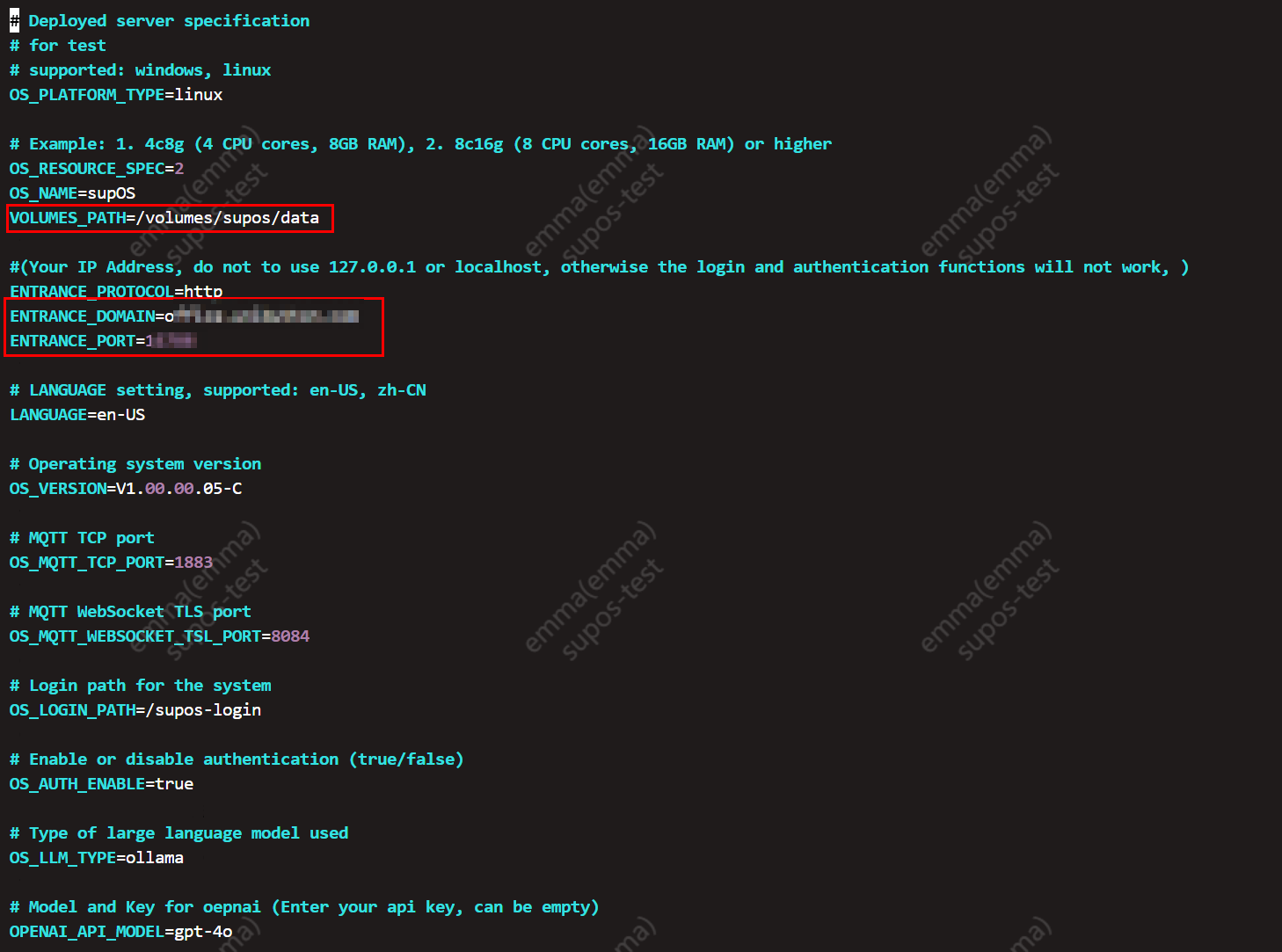
- Enter the .env.default file and press the i key to edit configuration items as needed.
vi .env.default
| Item | Description |
|---|---|
| VOLUMES_PATH | The storage path for project data. |
| ENTRANCE_DOMAIN | Tier0 access address. Normally the IP or domain of the server where you install Tier0. warning Do not use 127.0.0.1 or localhost, otherwise login and authentication functions will NOT work. |
| LANGUAGE | Tier0 display language. Chinese (zh-CN) and English (en-US) are supported. |
- Press ESC to stop editting, save the file and install Tier0.
:wq!
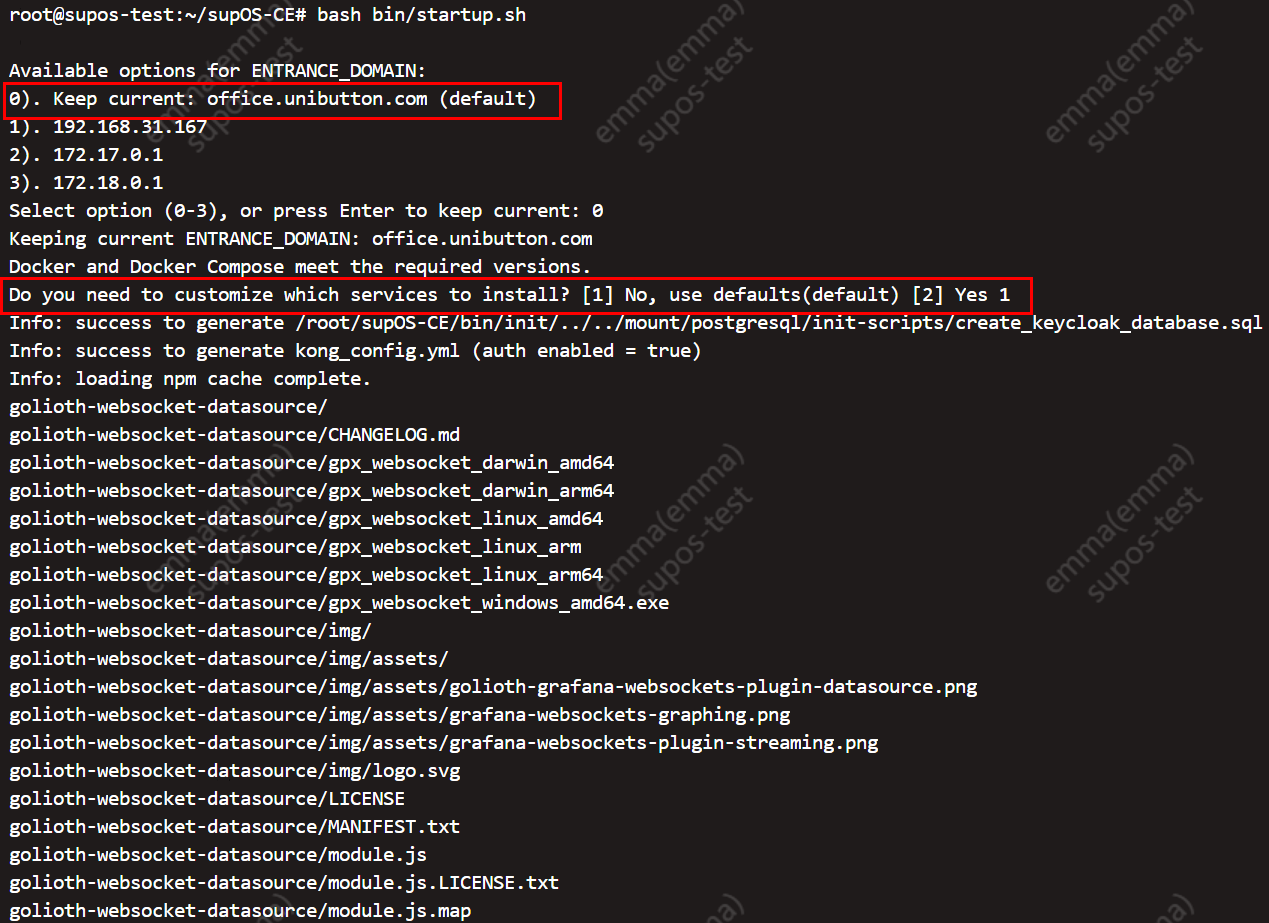
bash bin/install.sh
- Select whether to keep the entered entrance address and whether to use default setup, and then wait for the installation to complete.
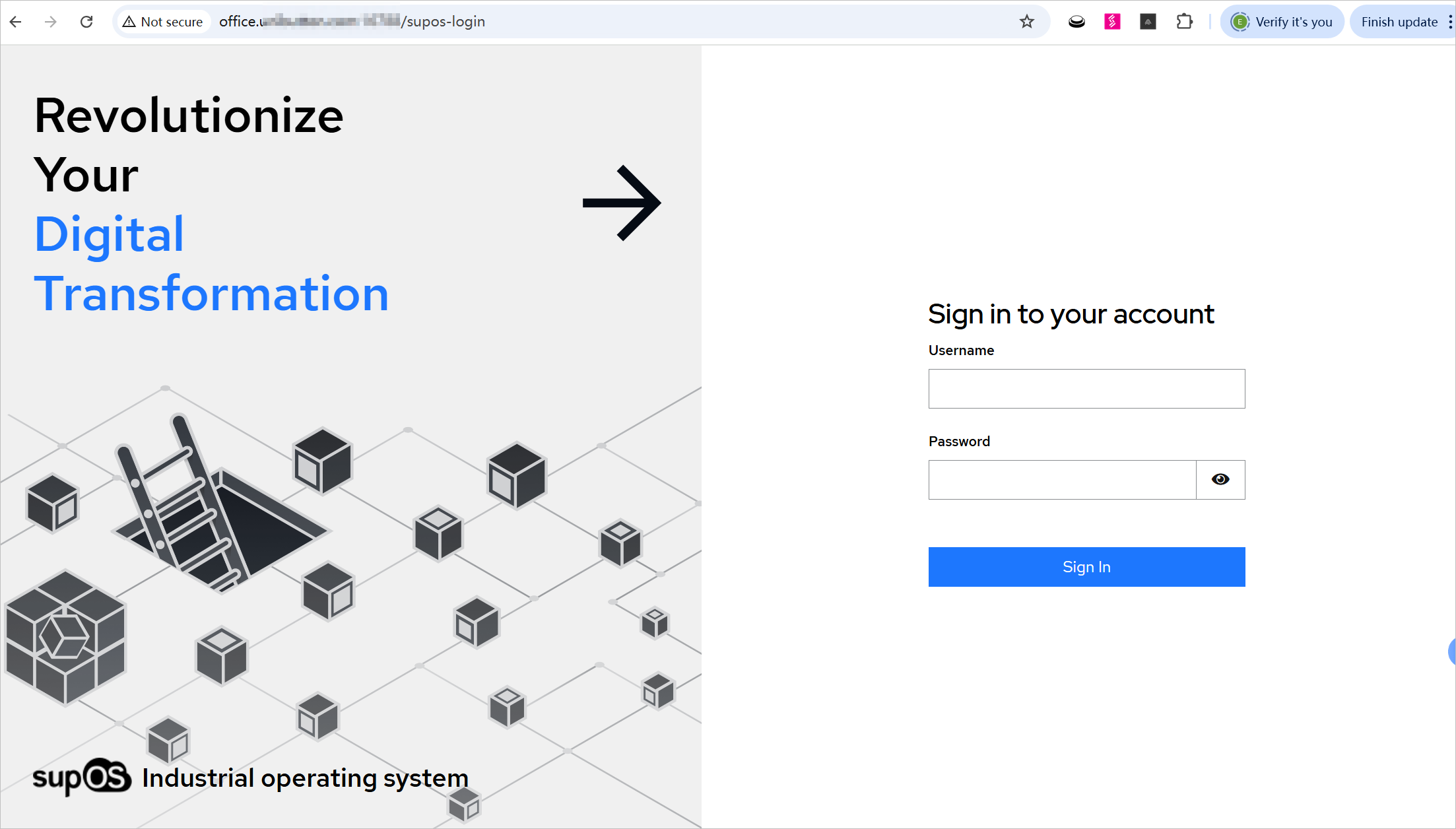
- Access Tier0 on a browser and log in.
Windows
info
- Make sure you have installed the lastest Docker Desktop and Git on Windows 10 or 11.
- Docker must be started.
- Clone the project from Github in Git Bash.
git clone https://github.com/FREEZONEX/Tier0-Edge.git
- Go to the folder Tier0-Edge/deploy inside the project.
cd Tier0-Edge/deploy
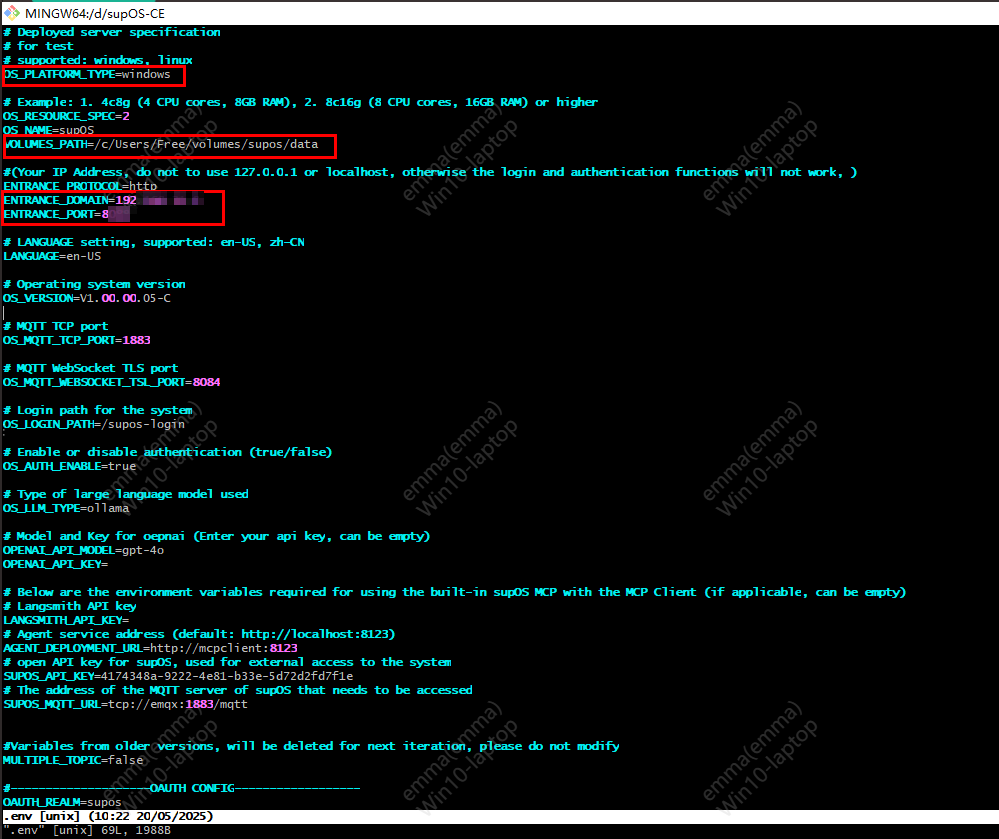
- Edit the following attributes in file .env.default.
tip
Before editing .env.default file, execute ipconfig in Git Bash to get the IP of the server.

- OS_PLATFORM_TYPE: The operating system where Tier0 is installed. Change it to windows
- VOLUMES_PATH: The storage path for project data.
- ENTRANCE_DOMAIN/ENTRANCE_PORT: Tier0 access address. Normally the IP or domain of the server where you install Tier0, and make sure the port is not occupied.
vi .env.default
note
.env.default file is hidden, directly enter the command to open it.
- Save the file and start installing Tier0.
:wq!
bash bin/install.sh
- Select the default configurations and wait for the installation to complete.
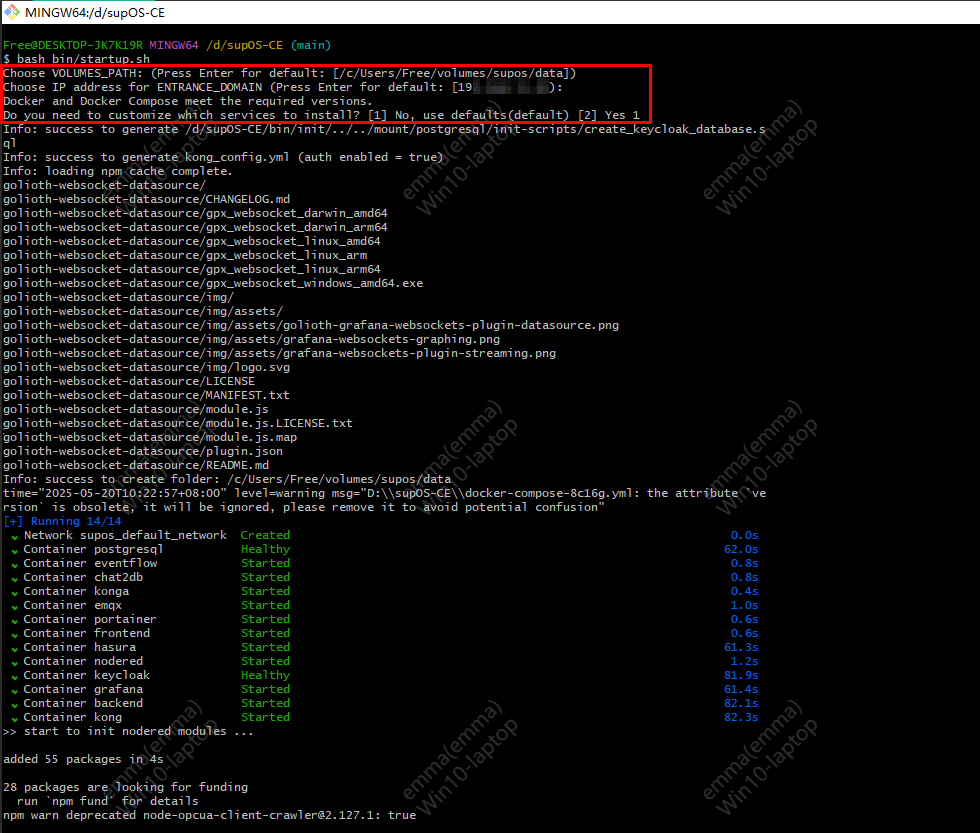
- Access Tier0 on a browser and log in.
Uninstalling Tier0
- Access the path Tier0-Edge/deploy/bin.
- Execute the script uninstall.sh.
bash uninstall.sh
info
- clean-all.sh will wipe out all project data and uninstall Tier0.
- Images will not be deleted.
- If you want to install Tier0 again, make sure you have pulled all images with the newest versions (based on image tags).